
Restaurant Software
Phone orders, without the chaos
Call Center gives your team a dedicated screen for taking delivery and takeaway calls, with every order routed straight into the same kitchen queue as walk-ins.
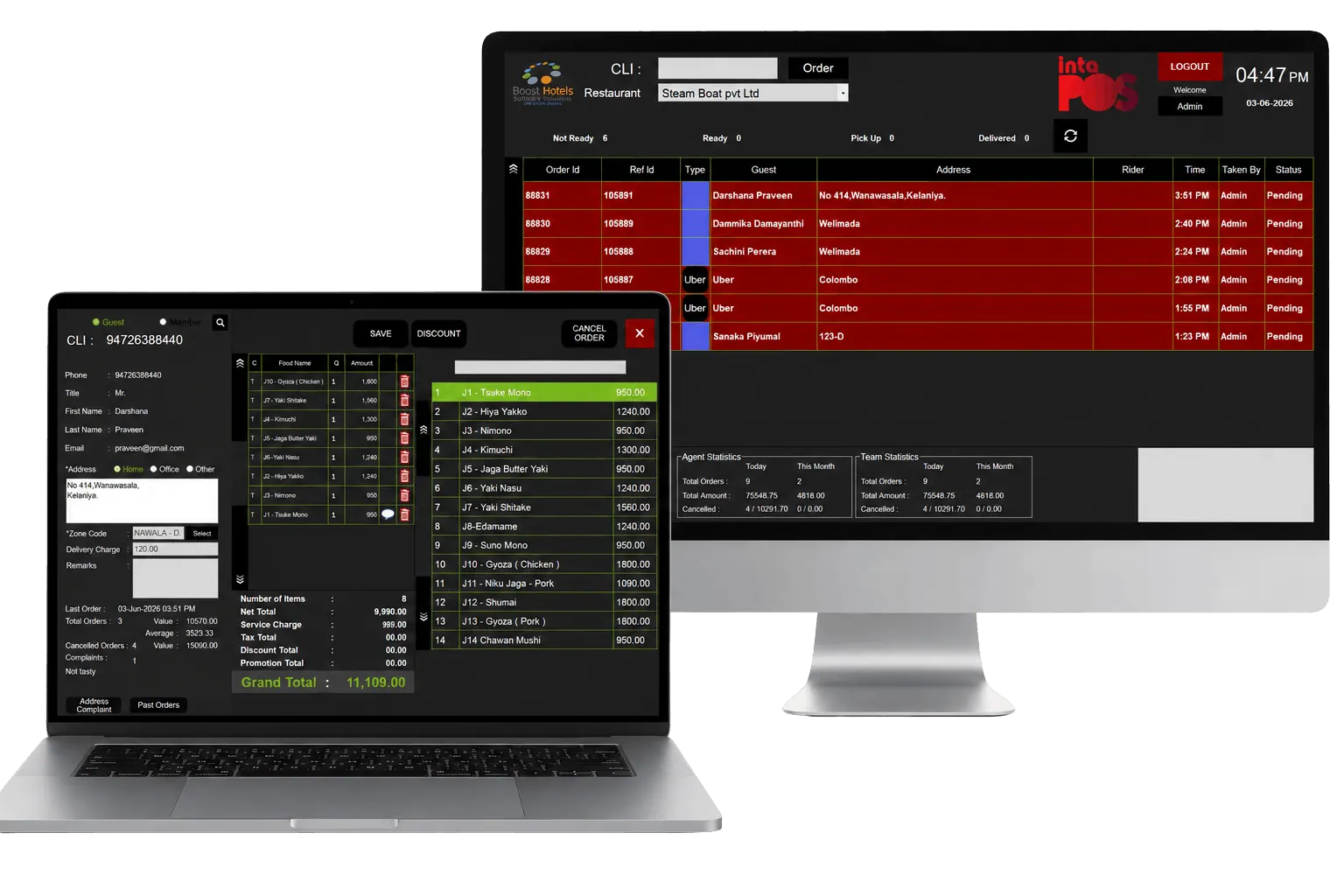

Call answered, order in the queue.
Why Call Center
One screen for every phone order
Keep phone orders as fast and accurate as orders taken at the counter.
Purpose-built order screen
A fast, phone-order-focused layout built for taking calls back to back.
Caller history on hand
Repeat customers and their past orders show up the moment the call connects.
Delivery & pickup tagging
Every order is tagged so the kitchen and drivers know exactly how it's going out.
Address & zone lookup
Delivery addresses are checked against your service zones before the order is confirmed.
Built for taking calls back to back
A fast, phone-order-focused entry screen keeps calls moving, with notes and special requests captured right alongside the order.
- Fast phone-order entry screen
- Repeat-customer lookup
- Order notes & special requests
Every call becomes a kitchen ticket
The moment an order is confirmed on the call, it's routed to the same kitchen queue as counter and QR orders, tagged for delivery or pickup.
- Orders routed to the kitchen queue
- Delivery & pickup tagging
- Estimated ready times
Delivery, organized from the first ring
Addresses are checked against your delivery zones before the order is confirmed, and every order stays visible from call to handoff.
- Delivery zone & address checks
- Driver assignment & handoff
- Order status visible end to end
Full Feature List
Everything included with Call Center
Delivery Management
- Order/guest info management
- Rider & delivery tracking panel
- Order history
- Saving guest locations
Works Great With
Pair Call Center with the rest of the suite
Get Started
See Call Center running your phone orders
Book a walkthrough and we’ll show you how quickly your team can be live.